
Service Overview
When Your Network Needs More Than Copper Can Give
There's a point every growing Toronto business hits where copper cabling stops being enough.
Maybe your team has moved to cloud-heavy workflows and the network feels sluggish across the building. Maybe you're connecting two floors, two buildings, or two sites, and the distance is too long for Cat6A to handle reliably. Maybe you're running a data centre, a healthcare facility, or a campus environment where bandwidth demand is serious and latency actually matters.
That's the point where fibre-optic cabling becomes the only real answer.
Fibre doesn't degrade over distance the way copper does. It doesn't pick up electromagnetic interference from nearby electrical equipment. It doesn't have a 100-metre channel limit. A single-mode fibre run can carry 10 Gbps, 40 Gbps, or 100 Gbps over kilometres without signal loss — on the same cable you install today.
But fibre is also unforgiving. A bad splice loses signal. A dirty connector kills a link. An untested run that looks connected might be performing at 40% of its rated capacity, and you'd never know until your network starts behaving strangely under load. And when something goes wrong with fibre — a damaged run, a failed splice, a connector that's degraded — you need someone who can put an OTDR on the line and find the fault, not just guess.
MV Tech Pro installs, splices, tests, and troubleshoots fibre optic networks for Toronto businesses. This page covers everything — what we do, how we do it, what it costs, and what separates a professional fibre install from a costly mistake.
Why Toronto Businesses Are Moving to Fiber Optic Networks
Fibre optic adoption in Toronto commercial buildings has accelerated significantly in the last three years. Here's what's driving it:
Bandwidth demands have outgrown copper. Wi-Fi 7 access points, 4K video conferencing, cloud-based ERP systems, and AI-assisted applications are pushing per-device bandwidth demands well beyond what a 1 Gbps copper network was designed to support. A fibre backbone supports 10, 40, or 100 Gbps on the same cable and scales with your hardware, not against it.
Campus and multi-floor connectivity requires fibre. The 100-metre distance limit on copper cabling means any run between buildings, between floors in a tall structure, or across a large warehouse floor needs fibre. There is no copper alternative at those distances that performs reliably.
Electromagnetic interference is a real problem in certain environments. Manufacturing facilities, hospitals, buildings with heavy electrical infrastructure — copper cable in these environments picks up interference that causes packet loss, speed drops, and intermittent connectivity issues that are notoriously difficult to diagnose. Fibre is immune to EMI entirely.
Security requirements are pushing fibre. Fibre doesn't radiate a signal the way copper does — you can't intercept a fibre transmission without physically tapping the cable, which is detectable. For financial institutions, legal firms, government tenants, and healthcare providers in Toronto, that matters.
The cost gap has closed considerably. Fibre hardware — transceivers, patch panels, switches with SFP ports — has dropped in price significantly. The cost difference between a fibre backbone and a copper backbone for a mid-size Toronto office is smaller than most business owners expect.
Our Fiber Optic Services in Toronto
Fiber Optic Splicing Toronto — Fusion and Mechanical
Splicing is the process of permanently joining two fibre optic cables end to end. It's how you extend a fibre run, repair a damaged section, or connect cables from different reels into a continuous link. Done well, a splice is nearly invisible to the signal — insertion loss under 0.1 dB for a quality fusion splice. Done poorly, it's a choke point that degrades your entire network.
There are two splicing methods, and understanding the difference matters:
Fusion splicing is the professional standard for permanent fibre connections. Two fibre ends are precisely cleaved, aligned under magnification, and fused together with an electric arc. The result is a glass-to-glass bond that's stronger than the fibre itself and produces the lowest possible signal loss — typically 0.02 to 0.1 dB per splice. This is what we use for backbone runs, inter-building connections, and any splice that needs to last.
Mechanical splicing uses a pre-made alignment sleeve to hold two fibre ends together without heat. It's faster and cheaper per splice and produces slightly higher loss — typically 0.1 to 0.5 dB. It's appropriate for temporary repairs, emergency restores, and situations where a fusion splicer isn't practical on-site.
MV Tech Pro performs fusion splicing as the default for all permanent Toronto fibre installations. Our technicians use precision core-alignment splicers — not cheaper cladding-alignment units — which means consistent splice quality regardless of the fibre type or environment.
What our fusion splicing service covers:
- Single-mode and multimode fiber (OM3, OM4, OM5, OS1, OS2)
- Indoor, outdoor, and aerial fiber cables
- Loose-tube and tight-buffered cable constructions
- Ribbon fiber splicing for high-density applications
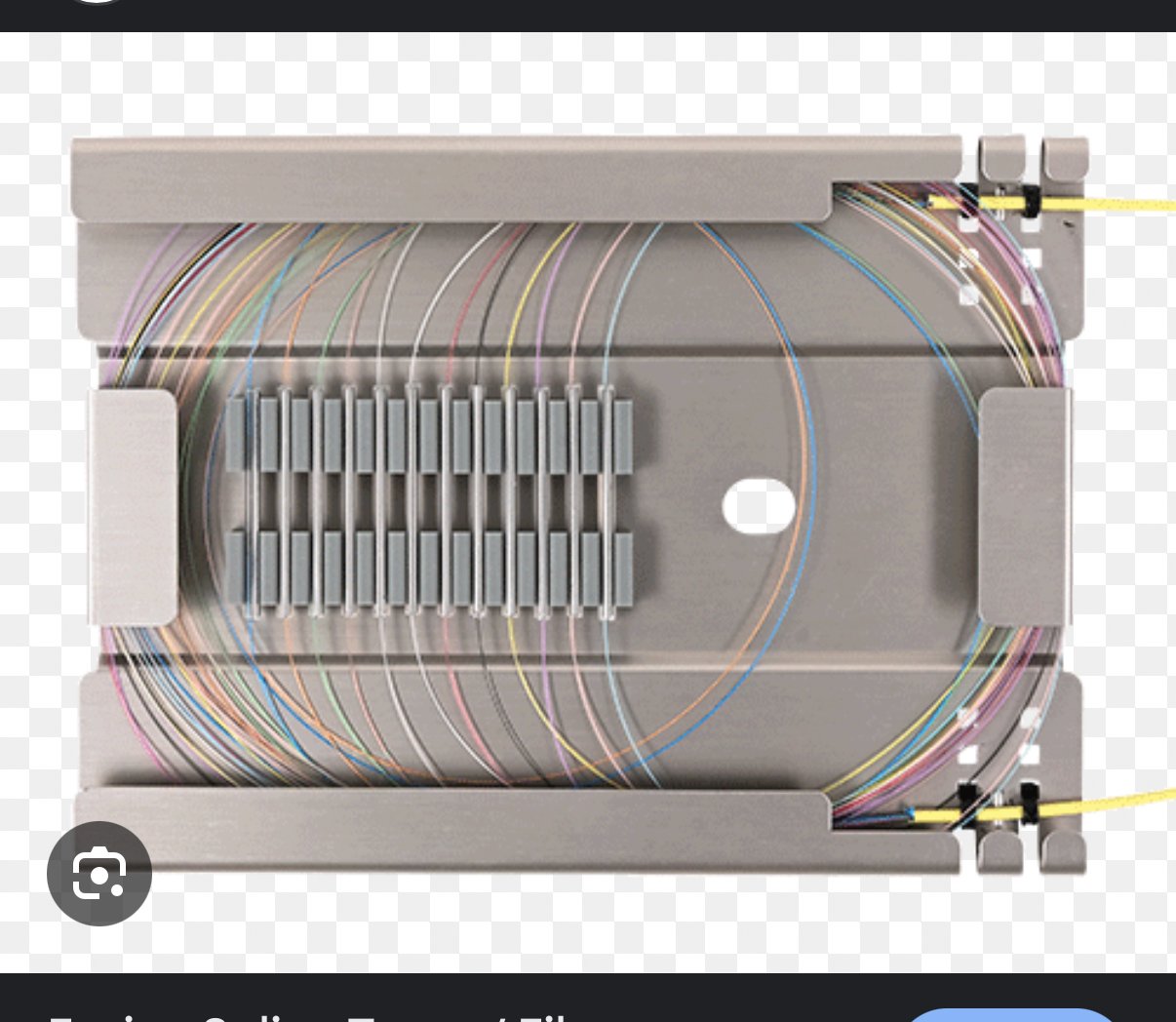
- Splice enclosure and splice tray installation and documentation
- OTDR testing of every splice to verify insertion loss before closeout
Fiber Optic Installation Toronto — End-to-End
A splice is one part of a fibre installation. The full scope covers design, cable selection, pathway preparation, pulling, termination, splicing, and testing. Here's what a complete fibre optic installation from MV Tech Pro looks like:
Cable selection. Single-mode or multimode depends on your distance and bandwidth requirements. OM4 multimode handles 10 Gbps to 400 metres and 40 Gbps to 150 metres — ideal for inter-floor and intra-building runs. OS2 single-mode supports 10 Gbps to 10 kilometres and 100 Gbps at shorter distances – the choice for inter-building, campus, and any run where future bandwidth scaling is important. We recommend based on your actual requirements, not on whichever cable we have more of.
Pathway preparation. Fibre is pulled through conduit, cable tray, inner duct, or J-hooks, depending on the environment. In finished Toronto commercial buildings, we use existing pathways where available and install new conduit where required. Outdoor runs between buildings go underground in direct-burial conduit or aerial where conduit isn't feasible.
Termination. Fibre ends are terminated with connectors — LC, SC, ST, or MPO depending on your equipment — either by fusion splicing pigtails or by direct field termination. All connectors are inspected with a fibre inspection scope before mating. A dirty or damaged connector end face is the single most common cause of fibre performance issues, and it's completely preventable.
Patch panel and distribution frame installation. All fibre terminates at a properly organised patch panel with labelled ports and documentation. The bend radius is maintained throughout – the fibre has no flex-tolerance violations ever.
Testing. Every link is tested before we close out. We use OTDR testing to map the fibre and identify splice loss, connector reflectance, and cable faults at precise distances. We use optical loss test sets (OLTS) to verify end-to-end insertion loss against the calculated loss budget for the link. You receive a test report for every fibre strand.
Fiber Optic Network Troubleshooting Toronto
This is where a lot of Toronto businesses find us — not on a new install, but when something has gone wrong with existing fibre and nobody can figure out why.
Fibre faults are not always obvious. A completely dead link is easy to diagnose. A link that's up but intermittently dropping packets, a link running at 1 Gbps when it should be running at 10 Gbps, and a link that works fine at room temperature but starts losing signal when the building heats up in summer – these require proper diagnostic tools and someone who knows how to read them.
Our fibre optic troubleshooting process:
OTDR testing — we put an OTDR (Optical Time Domain Reflectometer) on the fibre and read the trace. The OTDR sends a light pulse down the fibre and analyses the reflections. It shows us every connector, every splice, and any fault — and tells us exactly how far along the cable each event is. If a splice has degraded, a connector is dirty, or a cable has been damaged, the OTDR finds it and tells us precisely where.
Fibre inspection — we inspect every connector end face with a 400x fibre scope. Contamination on a connector face is the most common source of fibre performance issues in the field, and it's invisible without magnification. A contaminated LC connector looks identical to a clean one. Under a scope, it's immediately obvious.
Loss budget calculation and verification — we calculate the theoretical insertion loss for your link based on cable length, number of splices, and number of connectors, then compare it to the measured loss. If measured loss exceeds the budget, we know there's a problem, and the OTDR trace tells us where.
Physical pathway inspection — in some cases fibre performance issues come from physical damage to the cable — a cable that's been crushed by a ceiling tile, bent below its minimum radius around a corner, or damaged during a renovation. We trace the physical route where OTDR analysis suggests a fault.
Emergency fibre repair — if a cable has been cut, crushed, or otherwise physically damaged, we carry fusion splicing equipment and spare cable for emergency field repairs. In most Toronto commercial situations, we can restore a damaged fibre link within 2–4 hours of arriving on site.
Single-Mode Fiber Installation Toronto
Single-mode fibre (OS1/OS2) uses a very small core — 9 microns — that allows only one mode of light to propagate. This virtually eliminates modal dispersion, which is what limits multimode fibre at long distances and high speeds.
The practical result: single-mode fibre supports 10 Gbps across 10 kilometres, 40 Gbps across several kilometres, and 100 Gbps across shorter distances – all on the same cable type. For campus environments, inter-building connections, connections to ISP demarcation points, and any run where future bandwidth scaling is a priority, single-mode is the right choice.
We install OS2 single-mode fibre for the following:
- Inter-building and campus backbone connections
- ISP handoff and demarcation extension runs
- Data centre and server room connectivity
- Long-distance runs within large industrial or warehouse facilities
- Any application requiring 40 Gbps or 100 Gbps capacity
Single-mode components — transceivers, patch cords, and connectors — are slightly more expensive than multimode equivalents. The fibre cable itself is actually slightly cheaper per metre. For any run over 300 metres, single-mode is almost always the right technical and economic choice.
Multimode Fiber Toronto — OM3, OM4, and OM5
Multimode fibre uses a larger core — 50 microns for OM3/OM4/OM5 — that allows multiple modes of light to travel simultaneously. This makes it easier and cheaper to work with at shorter distances, and the lower-cost transceivers (typically short-wave 850nm VCSEL-based) make the active equipment significantly more affordable than single-mode alternatives.
For intra-building runs — floor-to-floor backbones, connections between network closets on the same campus, and links between the server room and IDF closets — multimode fibre at OM4 or OM5 is often the most cost-effective choice.
Distance limits for common speeds on multimode:
- 10 Gbps: OM3 to 300m, OM4 to 400m, OM5 to 400m
- 25 Gbps: OM4 to 100m, OM5 to 150m
- 40 Gbps: OM4 to 150m, OM5 to 150m
- 100 Gbps: OM4 to 100m, OM5 to 150m (with wideband optics)
OM5 (wideband multimode) is the current top tier for multimode and supports multiple wavelengths simultaneously – relevant for high-density data centre applications using SWDM4 transceivers.
We specify and install OM3, OM4, and OM5 multimode fibre depending on your distance requirements, speed targets, and budget. We'll tell you which one actually makes sense for your application — not just recommend the most expensive option.
OTDR Testing Toronto — Certification for Every Fiber Link
If a fibre contractor installs your network and doesn't provide OTDR traces and loss test results, you have no idea what you actually have.
A cable that links up and passes basic ping tests might be performing at 60% of its rated insertion loss budget – meaning it'll fail under load, under temperature variation, or the moment you try to upgrade your transceivers to a higher speed. You won't know until it becomes a problem.
OTDR testing is not optional for professional fibre installations. It's the certification that tells you your network performs to spec.
What MV Tech Pro provides on every fibre installation in Toronto:
- OTDR trace for every fiber strand showing splice loss, connector reflectance, and distance-to-fault if any anomaly is present
- Optical loss test results for every link — bi-directional, per TIA-568 standards
- Comparison against calculated loss budget for each link
- Fiber inspection scope image for every connector end-face before mating
- Full test report in PDF format — stored digitally and provided to you at project closeout
This documentation is also what you need if you ever want to register the installation for a manufacturer-backed warranty or if you need to bring in a new contractor and hand them a complete picture of your fibre infrastructure.
Fiber Optic Troubleshooting Toronto — Common Faults We Diagnose and Fix
Here are the most common fibre issues we're called to diagnose and repair in Toronto commercial buildings:
Contaminated connectors are by far the most frequent cause of fibre performance issues. Dust, oil, and debris on a connector end-face scatter light and increase insertion loss. Cleaning a connector takes 30 seconds with the right tools. Finding which connector is the problem requires a fibrescope on every mating surface. We clean and reinspect every connector as part of every troubleshooting call.
Degraded splices — fusion splices can degrade over time if the splice enclosure admits moisture, if the fibre was improperly cured, or if mechanical stress has been applied to the splice point. OTDR testing identifies degraded splices precisely, and we re-splice on-site.
Macrobend and microbend losses — fibre bent beyond its minimum radius loses signal at the bend point. This happens during installation when a cable is routed too tightly around corners or post-installation when someone runs a cable over a door hinge ornder a heavy object. The OTDR shows a loss event at the fault location; physical inspection of the pathway confirms the cause.
Physical damage — cables cut during renovations, crushed by ceiling tiles, pinched in cable trays, or accidentally severed during unrelated construction work. Emergency fusion splicing restores the link. We carry spare cable and splicing equipment for on-site repair.
Transceiver and switch port issues — sometimes what looks like a fibre problem is a failed SFP transceiver or a degraded switch port. We carry optical power meters and loopback connectors to isolate whether the fault is in the fibre plant or the active equipment.
Incorrect fibre type — using a single-mode transceiver on multimode fibre, or vice versa, produces very high loss and intermittent connectivity. This is more common than you'd think in environments where equipment has been upgraded without checking fibre compatibility.
How Our Fiber Optic Installation Process Works
Step 1 — Site Assessment and Design
We walk your property, understand your bandwidth and distance requirements, assess existing pathways and conduit, and design the fibre layout — cable type, route, splice locations, termination points, and patch panel sizing. You get a clear proposal before anything is committed.
Step 2 — Pathway Preparation
We install conduit, cable tray, or inner duct as required. In occupied Toronto commercial buildings we work around your schedule — after-hours and weekend installation are available at no extra charge.
Step 3 — Cable Pulling and Routing
Fibre is pulled with proper tension controls — fibre has zero tolerance for over-tension during pulling. All bends maintain a minimum bend radius. Cable is supported throughout the pathway, not left lying on ceiling tiles or draped over obstructions.
Step 4 — Termination and Splicing
Connectors are installed and inspected. Splices are performed with core-alignment fusion equipment and immediately OTDR-verified. Splice enclosures are sealed and mounted.
Step 5 — Testing and Certification
Every strand is OTDR-tested and loss-tested. Every connector is inspected. Test results are compared against the loss budget. You see the results before we leave.
Step 6 — Documentation
You receive as-built drawings showing cable routes, splice locations, and termination points; a fibre schedule mapping every strand to its patch panel port; and the complete test report for every link. This documentation belongs to you — it's yours to keep, share with your IT team, and hand to future contractors.
Why Fiber Optic Installation Quality Matters More Than You Think
Copper cabling is forgiving. A slightly miscrimped RJ45 connector will often still link up and pass traffic. A Cat6 cable that's been kinked during installation often still works – just not at full spec.
Fibre is not forgiving. A connector end-face that wasn't inspected and cleaned before mating can cause 3–6 dB of insertion loss — that's anywhere from 50% to 75% of your signal gone before light has even left the patch panel. A splice that wasn't OTDR-verified might be losing 0.5 dB instead of 0.1 dB — undetectable without test equipment until you try to run 40 Gbps optics, and they won't link.
The other thing fibre installations require is documentation. A copper network can be traced by plugging into ports and following the cable. A fibre plant inside a bundle of 12 or 24 fibres, behind wall panels and inside splice enclosures, is completely opaque without proper labelling and as-built records. We've been called into Toronto buildings where fibre was installed without documentation, and the building owner genuinely didn't know what they had – which fibres were active, which were dark, and which panel ports connected to which remote locations. That's a liability for any business that depends on the network.
MV Tech Pro documents everything. Labels every strand. Certifies every link. Hands you a complete record of your fibre infrastructure at project closeout.
Areas We Serve for Fiber Optic Installation in Toronto
MV Tech Pro installs and troubleshoots fibre optic networks across Toronto and the full GTA:
Toronto: Downtown Core, Financial District, Midtown, North York, Scarborough, Etobicoke, East York, Liberty Village, King West, Distillery District, Yorkville, Annex, Leslieville
GTA: Mississauga · Brampton · Vaughan · Markham · Richmond Hill · Aurora · Newmarket · Oakville · Burlington · Ajax · Pickering
We handle office buildings, data centres, healthcare facilities, university campuses, industrial complexes, warehouses, and multi-tenant commercial properties. Emergency repair service available across the full region — call us and we'll tell you our earliest arrival time.
Frequently Asked Questions — Fiber Optic Splicing & Troubleshooting Toronto
What is fusion splicing and why is it better than mechanical splicing?
Fusion splicing permanently joins two fibre ends by melting them together with an electric arc. The result is a continuous glass path with insertion loss typically under 0.1 dB. Mechanical splicing uses a physical alignment sleeve and produces higher loss — typically 0.1 to 0.5 dB. For any permanent installation, fusion splicing is the professional standard. Mechanical splicing is for temporary repairs and emergency restorations only.
What's the difference between single-mode and multimode fibre?
Single-mode fibre (9-micron core) carries one mode of light and can transmit over kilometres at very high speeds. It's the choice for inter-building, campus, and long-distance runs. Multimode fibre (50-micron core) supports multiple light modes and works well for shorter intra-building runs up to 400 metres at 10 Gbps. The active equipment for multimode is cheaper, but the distance and speed ceiling are lower. We'll tell you which one is right for your specific application.
How do you find a fault in a fibre optic cable?
We use an OTDR — an Optical Time Domain Reflectometer. It sends a light pulse down the fibre and analyses the reflections. The resulting trace shows every connector, every splice, and any fault — and gives us the exact distance to each event. If a splice has degraded, a connector is dirty, or a cable is physically damaged, the OTDR finds it and tells us precisely where along the cable it is.
Can you repair a cut or damaged fibre cable?
Yes. If the cable has been physically cut or damaged, we perform an emergency fusion splice on-site. We carry spare fibre cable and splicing equipment for field repairs. In most Toronto commercial locations, we can restore a damaged link within 2–4 hours of arriving on site.
Ready to Secure Your Property With Professional Access Control?
📞 Call or Text: 416-581-4388
📧 Email: info@mvtechpro.com
Need this service?
Book an appointment with our experts today.